SMPLTSK - Visual Task App for Builders & Tradies | Stop Mistakes Eating Your Profit
For Tradies & Builders

Stop Mistakes Eating Your Profit.

SMPLTSK Mark It. Send It. Done.
Snap a photo & number the jobs
No login to view
Start free
FREE DOWNLOAD
SMPLTSK — all tasks complete, markers green, 100% done
Wrong materials ordered Jobs redone at your cost "I didn't know that" Subbies on wrong task Phone tag all day Profit gone Wrong materials ordered Jobs redone at your cost "I didn't know that" Subbies on wrong task Phone tag all day Profit gone

Every Miscommunication
Has a Price Tag.

I spent 40 years on building sites watching good tradies do the wrong job — not because they were careless, but because the instruction wasn't clear.

We describe jobs in words when we should be showing people pictures. Words get forgotten, misheard, and misunderstood. Photos don't.

  • A text message says "fix the window" — but which window, what exactly, and how?
  • Scribbling on a block of wood doesn't follow the job to the next trade
  • Complex site management software requires logins your subbies won't bother with
  • You call, they don't answer. You call again. You lose half the morning
$$$

The hidden cost of miscommunication on every job

Rework from misunderstood instructions Daily
Time lost chasing workers by phone Hours
Materials ordered wrong or wasted Weekly
Delays pushing your off-site date back Every job

Three Steps.
Zero Confusion.

If your subbies can open a text, they can use SMPLTSK. It's that simple.

1
📸

Mark It

Snap a photo on site. Tap to place numbered red markers exactly where the work is needed. Add a description for each one. Done in under a minute.

2
📤

Send It

Share via SMS. Your subbies get a link — they tap it, they see the job. No app download. No login. No excuses for not knowing what to do.

3

Done.

Markers go green as jobs are completed. You see it happen in real time. When every marker is green, you're off-site on time.

Built For The Site.
Not A Boardroom.

Designed to be used with one hand while holding a tape measure in the other.

Real site photo showing numbered red markers on bedroom windows with task descriptions below
No More "I Thought You Meant"

Precision Numbered Markers

Drop a marker exactly where the work is needed. Each number links to a written description. The photo and the instruction are inseparable.

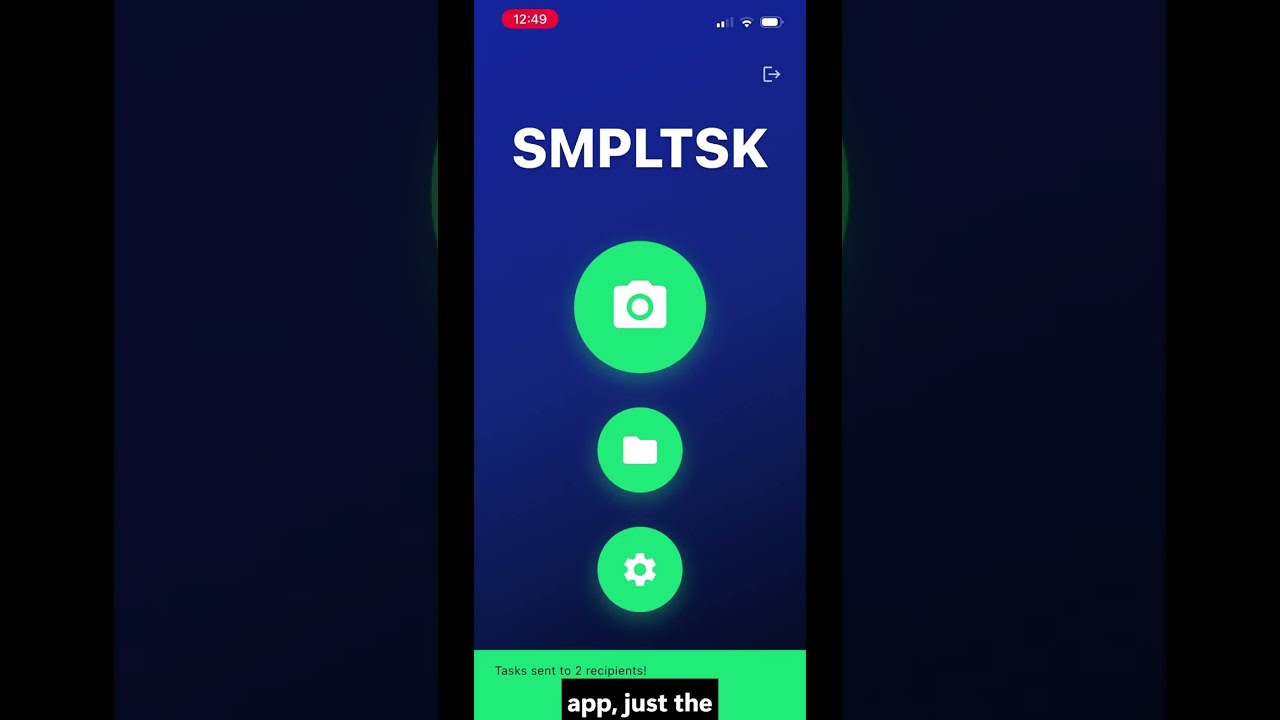
SMPLTSK home screen — three simple buttons, no login required
Zero Friction

No Login For Your Team

Your team gets a text link. They tap it, they see the job. No app downloads, no account creation, no training required. No excuses.

SMPLTSK showing all 3 tasks complete — markers turned green, TASKS 3/3 100%
Know It's Done

Red Green Tracking

Watch your tasks flip from red to green as your team works through them. 0% to 100% — simple, satisfying, and impossible to argue with.

SMPLTSK drawing tool — yellow annotation lines and red markers on a real site photo
Sketch It Out

Draw On Photos

Sometimes a line or an arrow says it better than words. The built-in drawing tool lets you mark up exactly what you need directly on the photo.

SMPLTSK Set a Reminder screen — remind yourself and your recipients with one tap
Never Forget

Reminders Built In

Set a reminder on any task — for yourself or your recipients. Get notified when something needs following up, even on your busiest days on site.

60sec
Task created & sent
From photo to your team's phone in under a minute
0
Logins for your team
Recipients need nothing — just a phone that gets texts
Free
To get started
1 photo & 6 tasks included — no credit card needed to try it

I Didn't Build This
In A Boardroom.

As a registered builder with 40 years on Australian building sites, I was trapped between scribbling on blocks of wood and complex software that nobody on-site would actually use.

So I built SMPLTSK. The visual Post-it note that communicates the job and tracks whether it's been done. Because when they get it right, you're off-site on time.

Registered Builder
40 Years Experience
Melbourne, VIC
"To protect my profits, I needed sausage-in-bread site tech. I was trapped between scribbling on blocks of wood and software no one on-site could actually use, so I built SMPLTSK to stop mistakes eating my profit. My subbies can open a text, so they can use it. No logins, no hurdles — just instant clarity and a fix for site mistakes."
S
Steve
Founder, SMPLTSK · Registered Builder · Melbourne

Works On Any Job.
Any Trade. Any Site.

Not just for builders. Anyone who needs to show someone exactly what needs doing.

All Uses
Builders
DIY
Landscaping
Property
Real site photo — bedroom windows job with 3 numbered tasks ready to send
Builders & Tradies

Mark The Job, Send It

Three tasks on a bedroom windows job — each marker pinned to exactly the right spot on the photo. No ambiguity, no phone calls to explain it.

All tasks complete — markers green, 3/3 done, 100%
Red → Green

Watch It Get Done

The same job — all three tasks ticked off, markers turned green, 100%. You see it happen in real time. That's your cue to move on.

Drawing annotations on a site photo with arrows and markers
Drawing Tool

When A Line Says It Better

Draw directly on the photo — arrows, outlines, measurements. Combined with numbered markers, nothing is left open to interpretation.

Watch The 30-Second Demo

Sometimes showing is better than telling. Exactly what SMPLTSK is all about.

If You Need To Show
Someone What To Do — This Is For You.

Built for builders, adopted by everyone who manages visual tasks.

🔨

Builders & Tradies

Defect lists, punch lists, snagging lists, handover inspections

🏠

DIY & Renovators

Describe jobs clearly to contractors and avoid costly misunderstandings

🌿

Gardeners & Landscapers

Mark exactly what needs doing in any outdoor space

💪

People Who Want Stuff Done Right

Anyone who needs to show someone exactly what needs doing — and know it's actually been done

Make It A SMPLTSK.

Stop carrying every job description in your head. Protect your profits. Get your team off-site on time.